
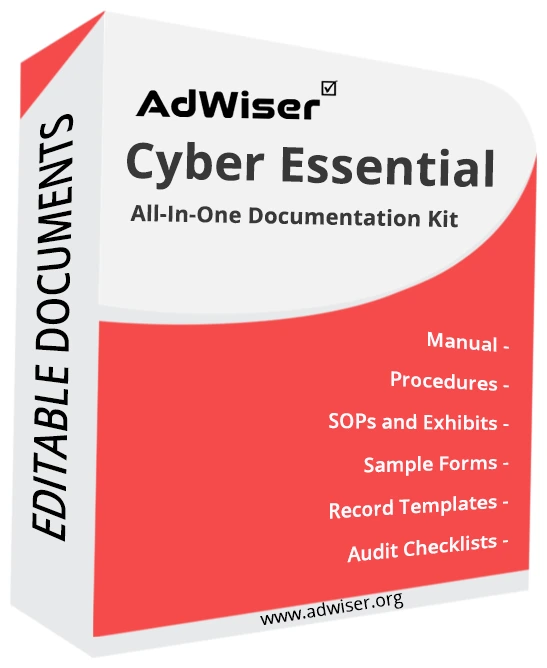
Cyber Essential Toolkit
85+ editable template documents for preparing for Cyber Essentials certification: policies, procedures, checklists and examples, with a gap assessment checklist.
- 7 document areas
- Format: Editable documents (Word, Excel and PowerPoint)
- For: Small and medium businesses, suppliers bidding for UK public-sector contracts
- 🔒 Secure online payment by Razorpay
- ✉ Delivered by e-mail after payment is confirmed.
- 💬 Questions? Ask an expert
The AdWiser Cyber Essentials Toolkit is a ready-to-use documentation toolkit for preparing for Cyber Essentials certification. It includes 85+ template documents covering policies, procedures, controls, checklists, tools, presentations, posters and worked examples, so you can start from a complete framework instead of a blank page.
What is Cyber Essentials?
Cyber Essentials is a UK government-backed scheme, run through the National Cyber Security Centre (NCSC), that helps organisations protect themselves against common internet-based attacks. It is built around five technical controls: firewalls, secure configuration, user access control, malware protection and security update management.
What you get with the Cyber Essentials Toolkit
- 85+ template documents: policies, procedures, controls, checklists, tools, presentations, posters and examples
- Worked examples with sample data that show how to complete each template
- Expert-reviewed completed example documents
- Gap assessment checklist to find your starting point
- One year of unlimited e-mail support after purchase
- Free upgrade within 6 months of purchase
- Free minor customisation support; major customisation is available from a consultant at an hourly rate
Document areas covered
The toolkit is organised into 7 areas: programme and scope, firewalls, secure configuration, user access control, malware protection, security update management, operations and awareness. The What's included tab lists the main documents in each area.
Who is this toolkit for?
It is designed for small and medium businesses, suppliers bidding for UK public-sector contracts, and IT managers who need a simple baseline security programme.
Key facts about Cyber Essentials
- The five technical controls are firewalls, secure configuration, user access control, malware protection and security update management.
- Two levels exist: Cyber Essentials (self-assessment verified by a certification body) and Cyber Essentials Plus (with hands-on technical verification).
- Certification is often required for UK government contracts that handle sensitive or personal information.
How to use the toolkit
- Choose the toolkit and complete the secure online checkout.
- Receive the editable files by e-mail after payment is confirmed (usually within 2 to 3 business days).
- Adapt each document to your organisation, scope and processes, and remove anything that does not apply.
- Implement, run an internal audit and management review, then apply to a Cyber Essentials certification body.
Will the toolkit get us certified?
The toolkit provides the documentation. Certification also depends on implementing the system, running internal audits and passing an audit by a Cyber Essentials certification body. AdWiser can help with implementation, internal audit and certification support: talk to our team.
Who it is for: Small and medium businesses, suppliers bidding for UK public-sector contracts
What's included
Main documents in each area. The toolkit may contain additional supporting documents, forms and examples.
Programme and scope5
- Cyber Essentials Scope Statement
- Information Security Policy
- Roles and Responsibilities
- Asset and Device Inventory
- Cyber Essentials Readiness Checklist
Firewalls3
- Boundary Firewall and Internet Gateway Policy
- Firewall Rule Review Form
- Firewall Configuration Checklist
Secure configuration4
- Secure Configuration Policy
- Device Hardening Checklist
- Software Installation and Approved Software List
- Default Password Change Procedure
User access control5
- Access Control Policy
- Joiners, Movers and Leavers Procedure
- Administrative Account Management Procedure
- Password and Multi-Factor Authentication Policy
- User Access Review Form
Malware protection3
- Anti-Malware Policy
- Application Allow-listing and Sandboxing Guidance
- Removable Media Policy
Security update management3
- Patch and Update Management Procedure
- Patch Log Template
- Unsupported Software Register
Operations and awareness6
- Backup Policy
- Incident Response Procedure
- Incident Report Form
- Cyber Awareness Training Plan
- Bring Your Own Device (BYOD) Policy
- Remote Working Policy
Key features
- 85+ template documents
- Organised into 7 document areas
- Editable files you can adapt to your organisation
- Expert-reviewed completed examples
- Gap assessment checklist
- One year of unlimited e-mail support
- Free upgrade within 6 months
- Free minor customisation support
Benefits
- Save weeks of drafting with ready-written, editable documents
- Worked examples show how to complete every template
- Structured to follow the requirements, which makes audits easier to prepare
- Written in plain language that staff can understand and follow
- One-time purchase with no per-user licence fee
- Gap assessment checklist to find your starting point
- One year of unlimited e-mail support
What is included in the Cyber Essentials Toolkit?
The toolkit includes 85+ template documents in 7 areas: programme and scope, firewalls, secure configuration, user access control, malware protection, security update management, operations and awareness. The main documents in each area are listed on this page under What's included.
Are the documents editable?
Yes. The documents are editable files, so you can add your logo, adapt the wording and delete sections that do not apply.
What is the difference between Cyber Essentials and Cyber Essentials Plus?
Cyber Essentials is verified through a self-assessment questionnaire reviewed by a certification body. Cyber Essentials Plus adds hands-on technical testing of your devices and network by an assessor, giving a higher level of assurance.
Will the toolkit get me certified?
The toolkit gives you the policies, procedures and records to meet the five controls. You then apply for certification through an authorised Cyber Essentials certification body, which assesses your actual environment.
Will the toolkit make us certified?
The toolkit gives you the documentation. Certification requires implementing the system and passing an audit by a Cyber Essentials certification body.
What support do I get after buying?
You get one year of unlimited e-mail support, a free upgrade within 6 months of purchase, and free minor customisation support. Major customisation can be done by an AdWiser consultant at an hourly rate.
How long does delivery take?
After your payment is confirmed through Razorpay we e-mail the toolkit to the address you used at checkout, usually within 2 to 3 business days. We may phone you to verify the order.
Can I get a refund?
Toolkits are digital products. Under our Terms and Conditions an order cannot be cancelled or refunded once payment is made, so please review the document list and contact us with any questions before you buy.
Can you help us implement it?
Yes. AdWiser offers implementation consulting, internal audit support, certification support and training. Use the Contact page and choose the topic you need.
Need more than the documents?
More toolkits
 Toolkit
ECC-1-2018 Toolkit
Editable template documents for implementing the Saudi National Cybersecurity Authority (NCA) Essential Cybersecurity Controls (ECC-1:2018): policies, procedures, checklists and examples, with a gap assessment checklist.
 Toolkit
GDPR Toolkit
110+ editable template documents for complying with the EU General Data Protection Regulation (GDPR): policies, procedures, checklists and examples, with a gap assessment checklist.
 Toolkit
HIPAA Toolkit
Editable template documents for complying with the US HIPAA Privacy, Security and Breach Notification Rules: policies, procedures, checklists and examples, with a gap assessment checklist.